
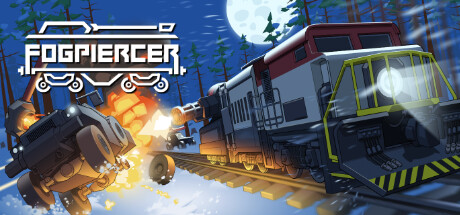
The developers behind Fogpiercer have released their first post-launch update, focusing primarily on accessibility and community-requested stability improvements. Following player feedback, the team acknowledged that the game's high-speed movement and constant motion were causing discomfort for a portion of the player base.
The centerpiece of this update is a new motion sickness mode, which can be found under the Accessibility settings. The developers noted that while they initially attempted to mitigate motion issues by simply lowering travel speed, further intervention was necessary. The new mode implements several technical changes to stabilize the visual experience.
What the Motion Sickness Mode Changes
When enabled, the motion sickness mode significantly alters the game's presentation to reduce sensory overload. Key changes include:
- Visual Simplification: In-game assets are replaced with grayboxed elements to reduce visual noise.
- Stationary Combat: Environmental particles are removed and combat encounters are adjusted to be as stationary as possible.
- Reduced Camera Motion: Extreme camera shifts, particularly during random encounters, have been dampened.
- Menu Adjustments: The main menu now features a static layout.
- Improved Performance: Because the game renders fewer moving objects, players may notice a higher and more stable frame rate while this mode is active.
The developers stated that while they have implemented these changes as a first solid effort, they intend to further refine camera motion in future updates.
Additional Fixes and Quality-of-Life Updates
Beyond accessibility, the patch addresses a variety of bugs and interface concerns reported since the game's July 2026 release. Players now have the option to disable tutorial tooltips that previously persisted after the tutorial sequence concluded. Other notable changes include:
- UI/UX Improvements: A new save icon now appears in the bottom right corner of the screen when a run is being saved. Additionally, card and module buttons now feature rarity visuals (normal, rare, and epic) for better clarity.
- Stability and Crashes: The update addresses an edge-case crash occurring when the last enemy and carriage were destroyed simultaneously, as well as a rare crash related to tooltip display.
- Visual Settings: The "3D scaling OFF" setting has been renamed to "Bilinear" to better reflect its function, and a black screen issue caused by conflicting FXAA and MSAA2D settings has been resolved.
- Gameplay Balancing: Derailed train upgrades no longer consume Scrap, and the "revive a carriage" reward can now appear in encounters that previously carried a "No rewards" modifier.
The development team is continuing to monitor player reviews and feedback to guide their upcoming patch schedule. Players looking for further guidance on the game can refer to the official beginners guide or the community wiki linked via the game’s Steam hub.