
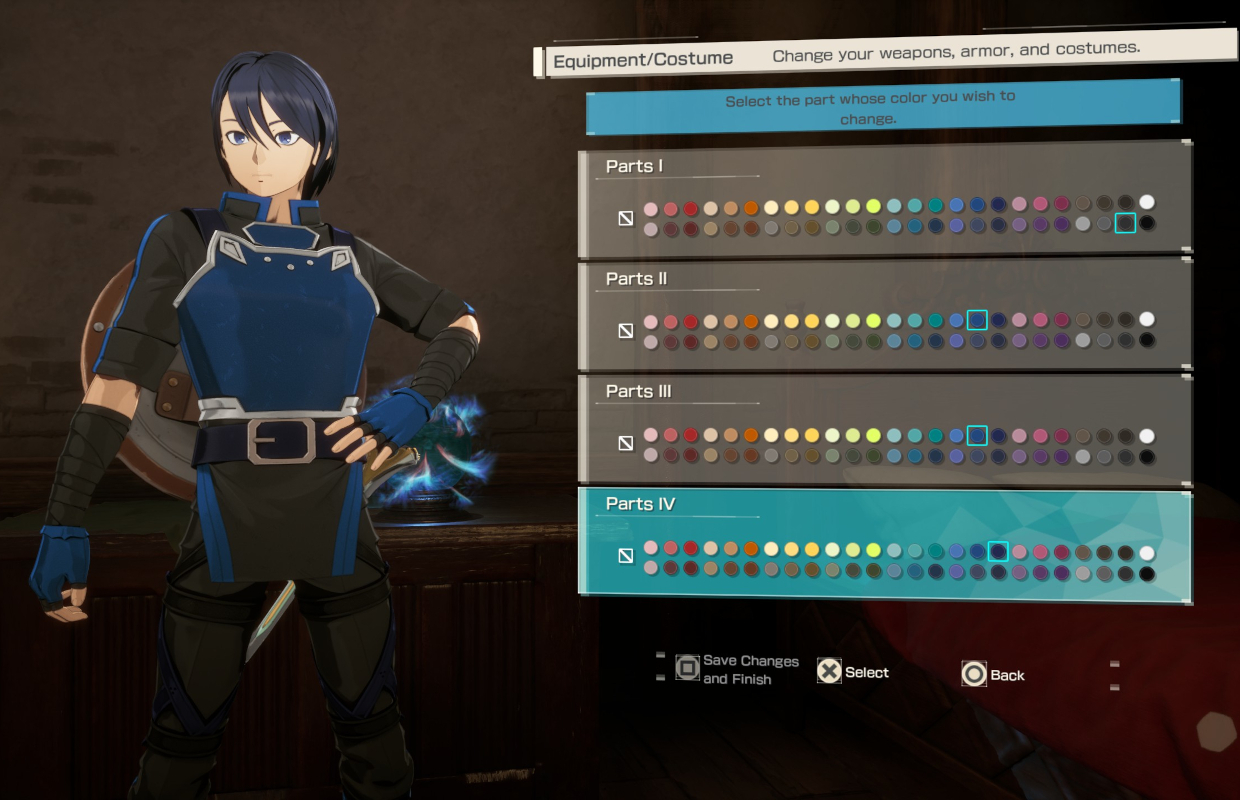
Playing Echoes of Aincrad on PC means dealing with armor stats that don't always match the aesthetic you want. Fortunately, a specific costume and color customization feature lets players lock in their favorite visual outfit set regardless of equipped gear. This walkthrough covers the exact steps required to unlock and enable fixed costume settings and color customization.
- Progress through the game: Play the main game content until you reach the point where customization menus unlock.
- Access the menu: Open your character inventory or customization hub from the main menu interface.
- Select the costume option: Locate the outfit or visual slot designated for fixed appearances.
- Choose your set and colors: Pick your preferred outfit and adjust the color palette to match your style.
- Save and apply: Confirm your choices to lock in your visual appearance over your active equipment stats.
Unlocking the Customization Feature
Before you can override your active gear's appearance, you must progress far enough in Echoes of Aincrad to access the system. Once unlocked, the feature decouples your visual identity from your functional statistics, meaning you no longer have to sacrifice defensive stats for fashion.
Setting Up Fixed Costumes and Colors
After unlocking the system, navigate to the specific cosmetic menu tab. From here, you can select any unlocked outfit set from your collection. The color customization options allow you to tweak hues independently, giving you full control over your character's look on PC.