
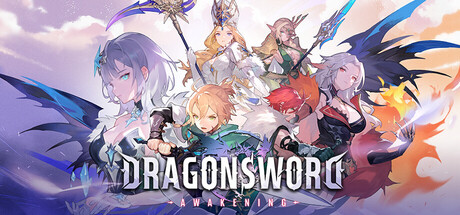
PC players diving into DragonSword : Awakening who run into unexpected crashes tied to D3D12 errors have a temporary workaround straight from developer Hound13 Inc. The open-world action RPG, which launched on Steam on July 23, 2026, for $29.99, is currently triggering crashes on certain GPU and driver configurations due to DirectX 12 compatibility issues.
Quick Facts
- Game: DragonSword : Awakening
- Developer: Hound13 Inc.
- Platform: PC (Steam)
- Price: $29.99
- Issue: D3D12 error causing crashes on specific GPU and driver setups
- Workaround: Add
-dx11to Steam launch options
How to Apply the DirectX 11 Workaround
While the development team works on an official fix—with a release schedule to be announced separately at a later date—players affected by the graphics crash can force the game to run on DirectX 11 instead. Follow these steps to adjust your settings:
- Open your Steam Library and locate DragonSword : Awakening.
- Right-click the game title and select Properties.
- Find the Launch Options field.
- Type
-dx11into the box. - Close the window and launch the game normally.
This adjustment forces the Unreal Engine 5 title to bypass D3D12 initialization routines that trigger failures on incompatible hardware or driver versions.
Additional Updates and Community Notes
The temporary graphics patch guidance arrives alongside other recent communications from the studio regarding the anime-style open-world adventure. Earlier this week, the team addressed player inquiries surrounding mod tools, save file modifications, and deployed a limited-time distribution for the Abyssal Direwolf familiar. Hound13 has not yet confirmed a specific deployment window for the permanent D3D12 resolution patch, but monitoring the Steam news hub remains the best way to track upcoming client updates.