
- Platform: PC (Steam Client)
- Developer: Valve Corporation
- Feature Status: Public Beta
- Primary Focus: Workshop UI Overhaul
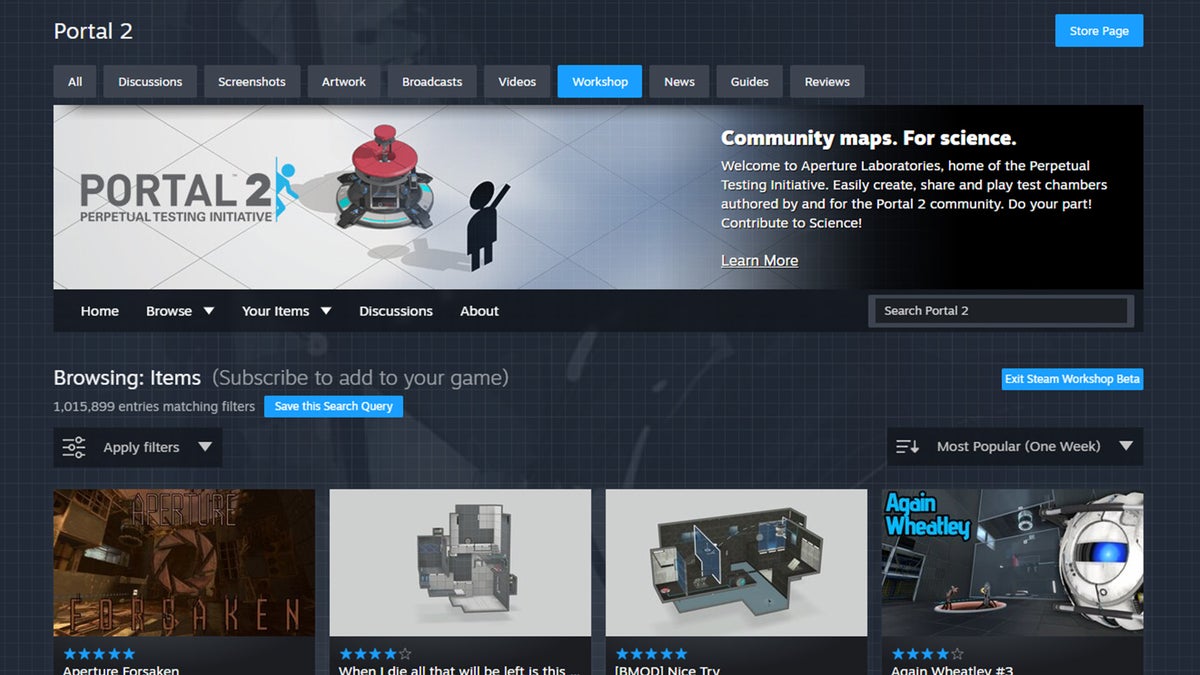
Valve has officially launched a new Steam Workshop UI beta, signaling a significant shift in how PC players interact with community-created content for titles ranging from Minecraft and its various modding communities to high-profile releases like Elden Ring and its Shadow of the Erdtree expansion. As part of our ongoing coverage at In Game News, we have observed that this update is part of a broader initiative by the developer to modernize the interface of the Steam platform, ensuring that the modding ecosystem remains accessible and efficient for the 2026 gaming environment.
While players often associate Mojang with the internal modding capabilities of Bedrock Edition the Steam Workshop remains the central hub for thousands of other PC titles. By refining the interface, Valve aims to streamline the process of discovering, installing, and managing user-generated content, which has become a staple of the modern PC gaming experience.
Understanding the Steam Workshop UI Beta Changes
The latest Steam Workshop interface changes 2026 are designed to address long-standing navigation issues that have persisted in the legacy layout. For years, the Workshop functioned as a functional but dated portal. The new beta introduces a cleaner, more responsive design that aligns with the aesthetic improvements seen across the rest of the Steam client in recent years. This includes better scaling for high-resolution displays and a more intuitive layout for mod categorization.
For those tracking the PC gaming news landscape, this update is consistent with Valve’s strategy of centralizing the user experience. By reducing the number of clicks required to subscribe to a mod or view detailed creator information, the update aims to lower the barrier to entry for players who are less familiar with manual file management.
Key Features of the 2026 Update
The new features 2026 included in this beta release focus on usability and data presentation. Users will notice several specific improvements when browsing mod libraries:
- Enhanced Filtering: Improved search tags and sorting options allow users to find specific types of mods more quickly.
- Visual Layout: The item cards have been redesigned to provide clearer previews of mod content before the user commits to a download.
- Responsive Design: The interface now adjusts more effectively to different window sizes, making it easier to manage mods while the game is running in the background.
- Subscription Management: A cleaner view of currently installed items allows for faster toggling of mods, which is essential for players juggling multiple loadouts.
How to Access the Latest Steam UI Beta
If you are interested in testing these changes, you must opt into the beta program through your Steam client settings. This is standard practice for Valve when testing major Steam platform updates. To participate, navigate to the Settings menu, select the Interface tab, and locate the 'Client Beta Participation' section. Once you change your preference to the beta branch, the client will restart and download the necessary files to display the updated Workshop interface.
It is important to note that because this is a beta, some users may encounter minor visual glitches or temporary performance inconsistencies. We recommend that players who rely heavily on specific mod configurations for their daily gaming sessions exercise caution, as beta builds are intended for testing and feedback rather than strictly stable, daily-driver usage.
The Impact on Modding Communities
The impact of these changes extends to both players and mod creators. For creators, the improved UI provides better tools to showcase their work, including more prominent placement for screenshots, update logs, and compatibility information. This level of transparency is vital for complex games where mod load order and version dependencies are significant factors.
While games like Minecraft often utilize external launchers and mod repositories, titles that rely exclusively on the Steam Workshop will see the most immediate benefit from these changes. The ability to quickly identify outdated mods or check for recent updates through a more modern interface will likely reduce the frequency of support requests directed at mod authors.
Frequently Asked Questions
Is the new Steam Workshop UI available for all users?
The new Steam Workshop interface is currently in a beta phase and is not yet available to all users on the stable client.
How to access the latest Steam UI beta?
Users can access the latest interface updates by navigating to their Steam client settings and opting into the 'Steam Beta Update' branch.
What is included in the new Steam Workshop update?
The update focuses on a visual and functional overhaul of the Steam Workshop interface to improve navigation and mod management for PC players.
Fortnite Adds Tung Tung Tung Sahur and Ballerina Cappuccina Avatars iAction
Eagle Nation Codes: Free Cash and Rewards for April 2026Handheld Gaming
Hozy 2026 Update: Steam Deck OLED and SteamOS Compatibility DetailsAction
Nintendo Deleting Super Mario Maker 2 Courses Over Hashtags in 2026